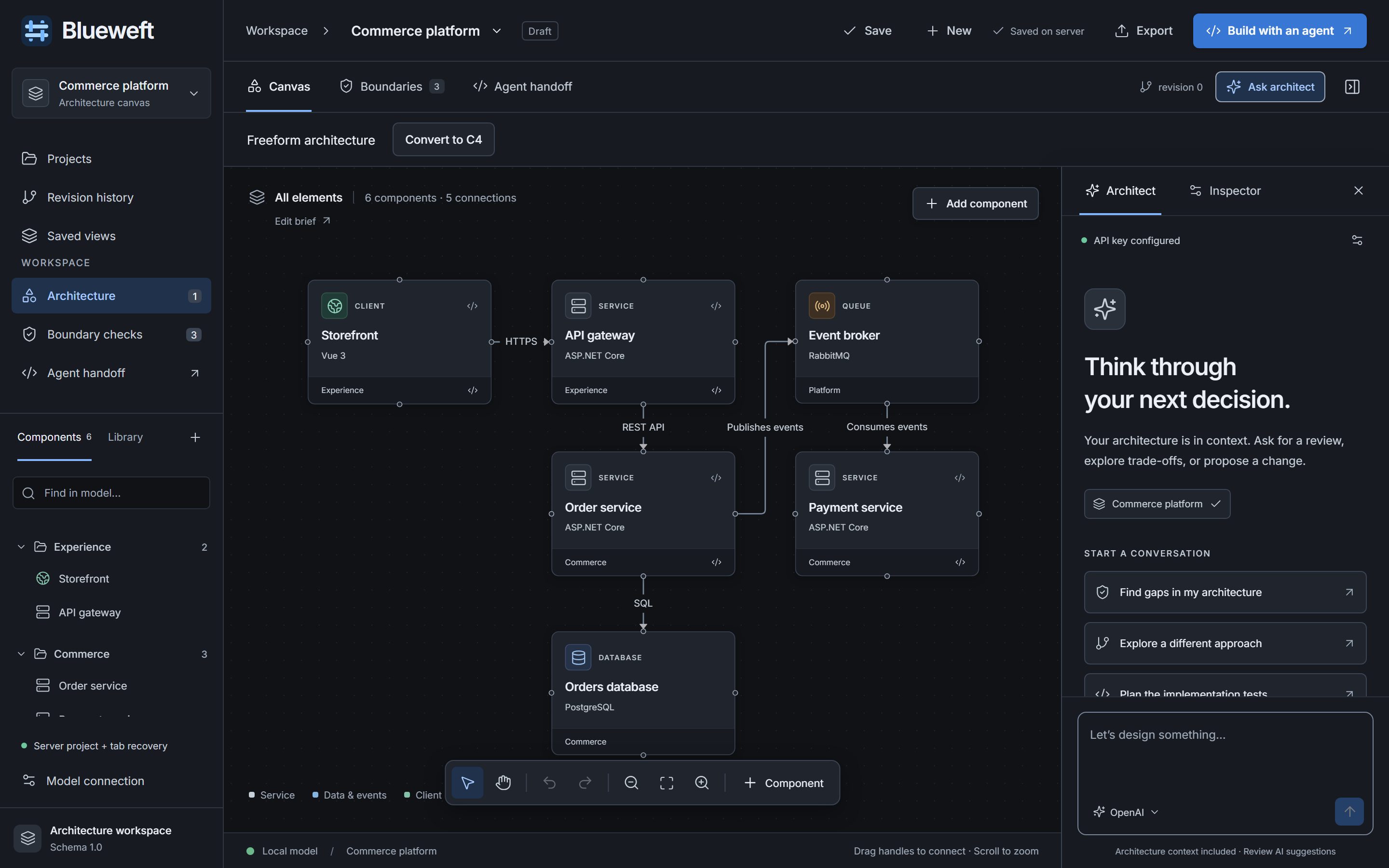
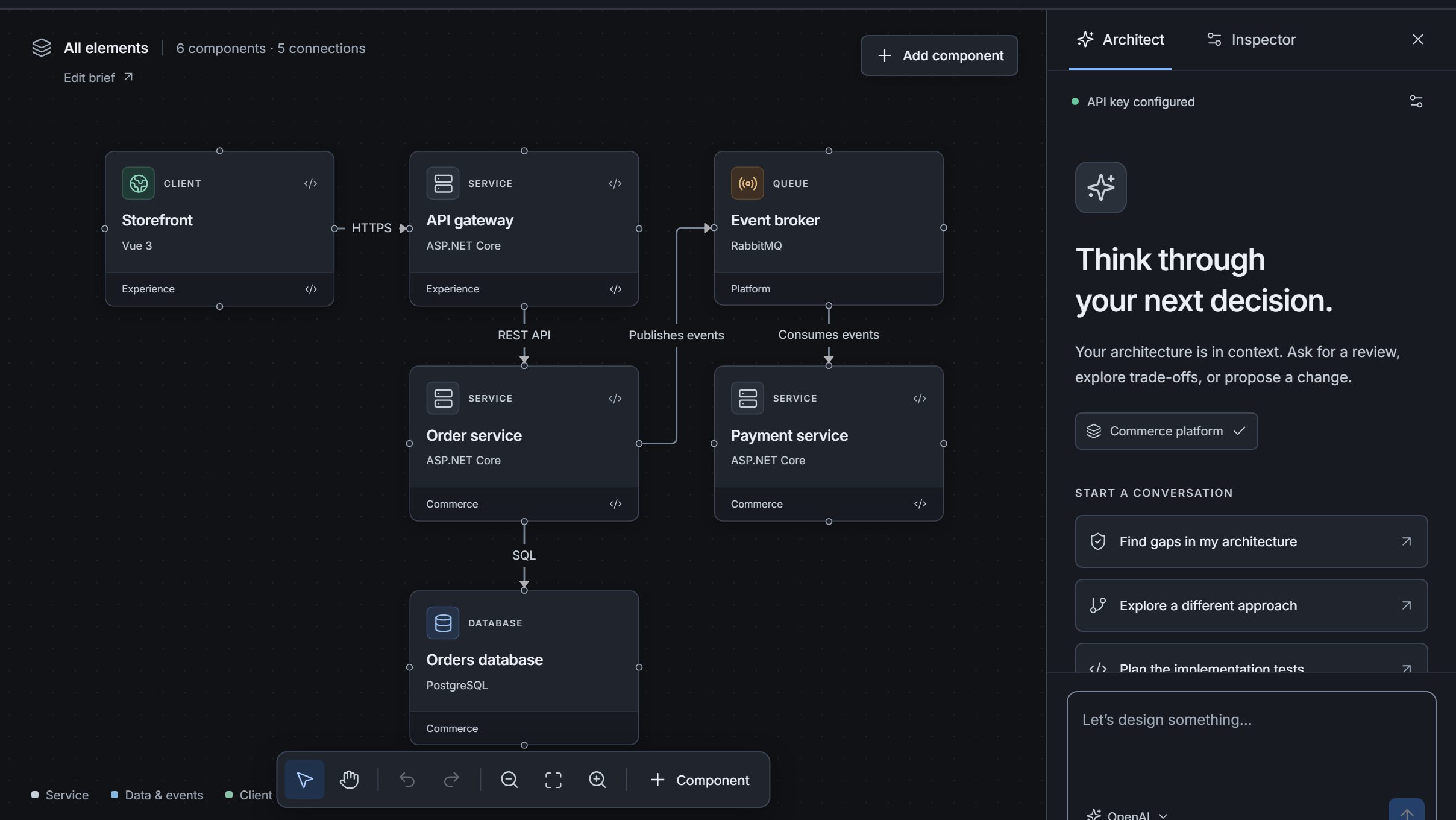
Blueweft is a visual system design tool for drawing your software architecture, stating the boundaries it must respect and turning both into an implementation contract that Codex or Claude Code can follow.
Follow a checkout system from architecture and behavior to design checks and an agent handoff.
Built around the tools you already use
Codex
Claude Code
OpenAPI 3.x
C4 model
dependency-cruiser
JSON import/export
MCP
How it works
From whiteboard to working brief in three steps
No new notation to learn. Draw boxes and arrows, write the rules you'd otherwise put in a wiki, and let Blueweft package them.
01
Model the system
Lay out clients, services, queues and data stores on a canvas. Give each one a responsibility, a technology and the repository directory it lives in.
02
Make boundaries explicit
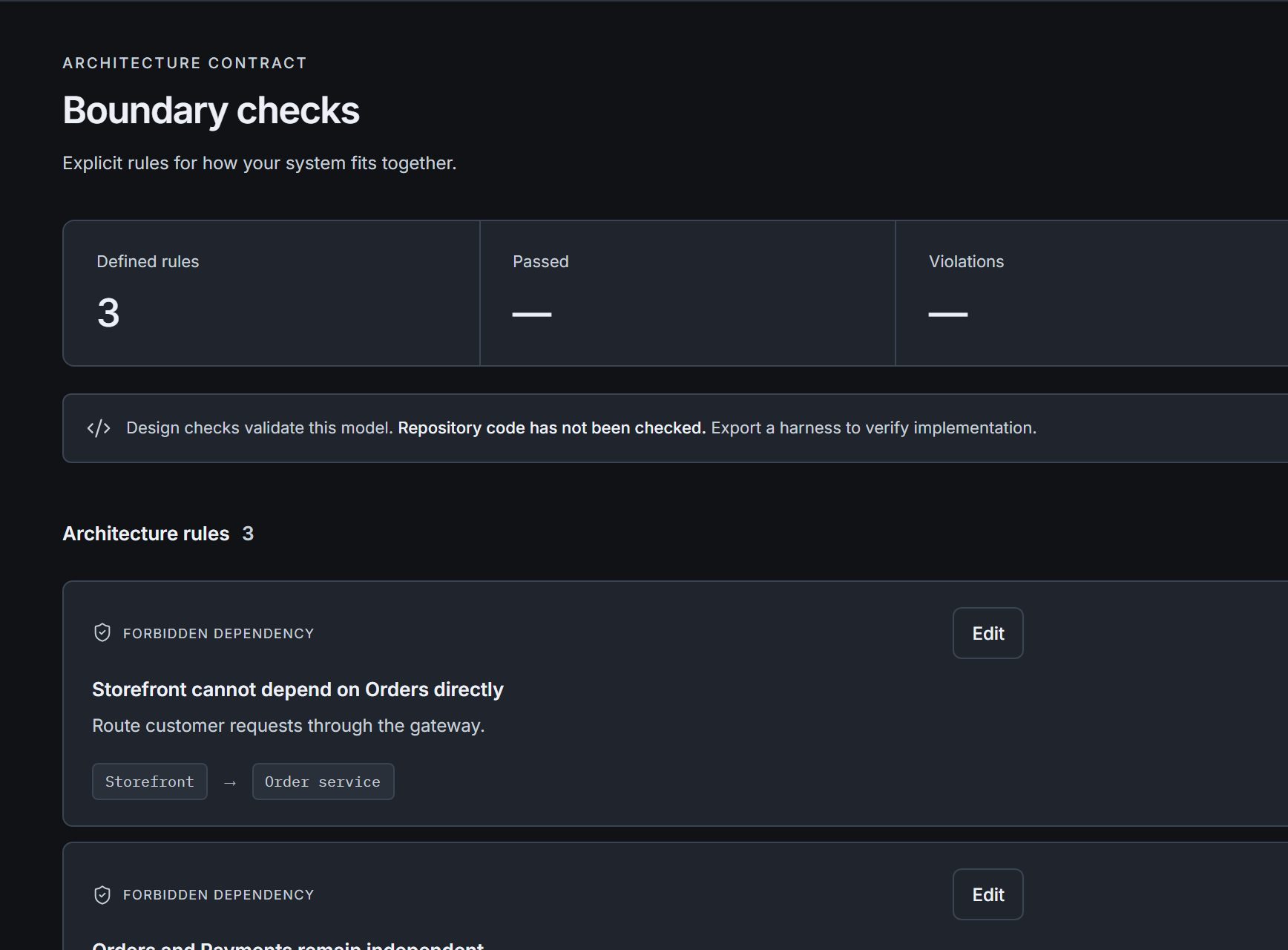
Write directional rules such as “Storefront cannot depend on Orders” and check the design against them every time it changes.
03
Hand off a contract
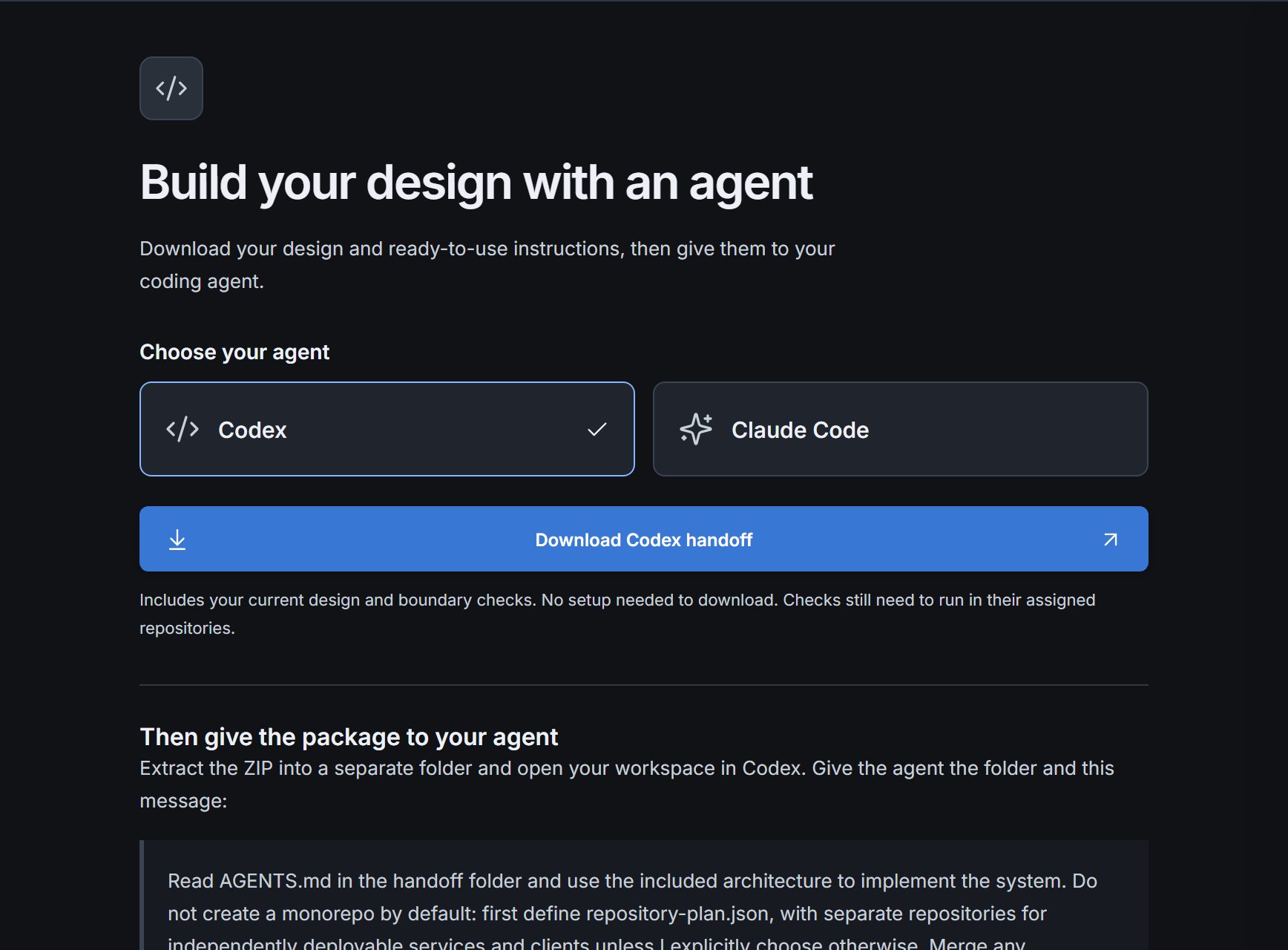
Download the architecture, the rules and a starter message as one package for Codex or Claude Code, so the agent builds what you designed.
Features
Everything the design needs to survive implementation
A diagram is easy to make and easy to ignore. Blueweft keeps the parts that matter — boundaries, ownership and the handoff — attached to it.
Boundary checks
Forbidden dependencies and required connections are stated as rules, not implied by missing arrows. Check the design whenever it changes and see exactly which rule a connection breaks.
Storefront → API gateway
Storefront ↛ Order service
Payment must reach Event broker
Agent handoff
Give Codex or Claude Code one reference to this server and it fetches the design, the rules and the context over MCP. Agents running elsewhere get the same thing as a downloadable package.
Start from a template
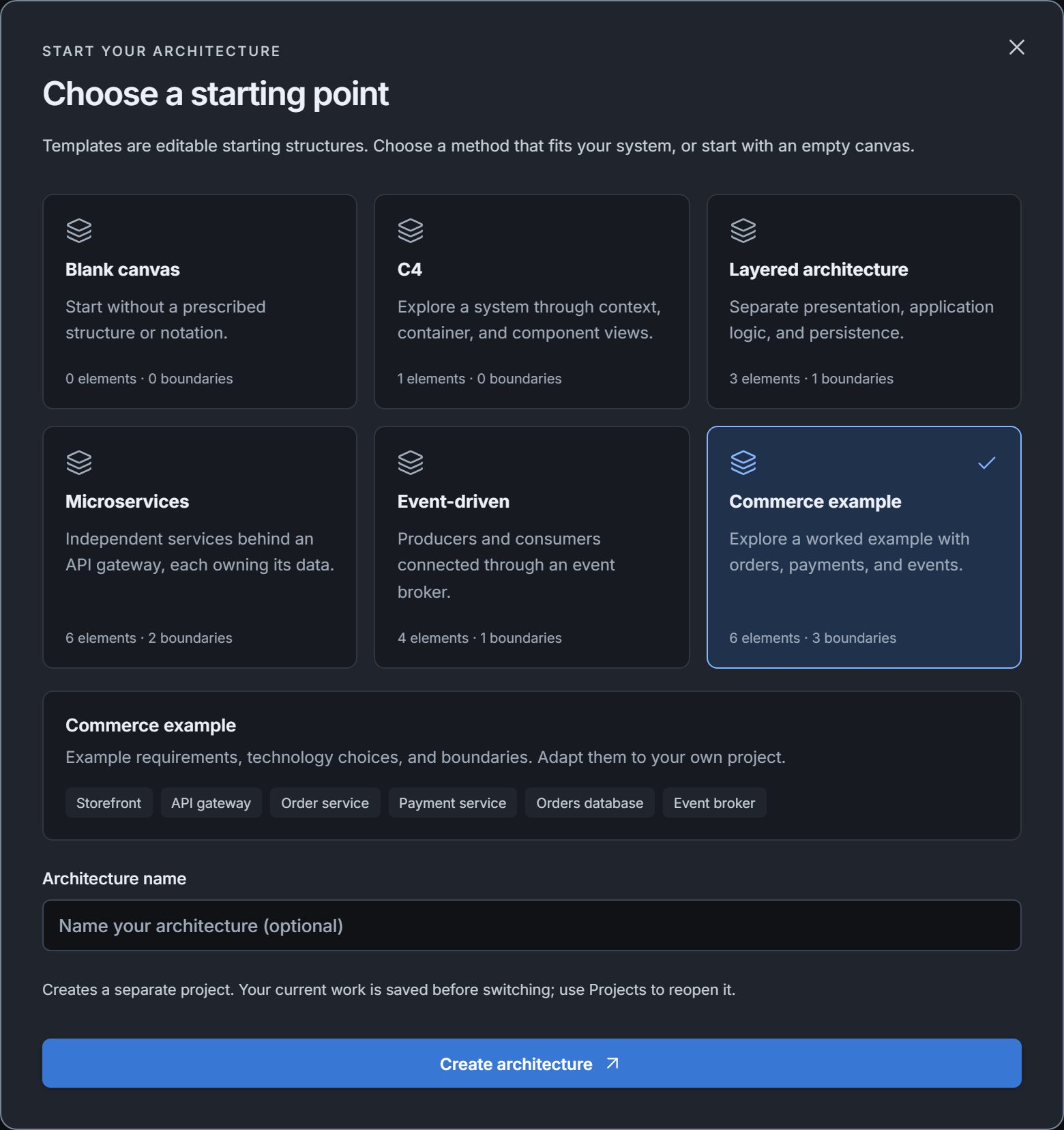
Begin blank or with C4, layered, microservices, event-driven or a worked commerce example you can take apart.
An architect that edits with you
Ask for a review, explore trade-offs or request a change. With a server-configured AI provider, suggested edits arrive as proposals you review and apply yourself, and they're rejected if the model changed since they were made.
Revision historySave named revisions, compare them with the draft and restore earlier ones.
Import and exportBring in OpenAPI documents and move models between workspaces as JSON.
Recovery built inPending edits are kept per tab, so a closed window doesn't lose work.
The contract
What your agent actually receives
Not a screenshot of a diagram. The agent connects to Blueweft over MCP, or takes the same content as a folder of plain files it can read, lint against and test with — generated from the model you drew.
A brief with acceptance criteria, merged into your existing agent instructions
Boundary rules as native dependency-cruiser config, one harness per repository
A starter message to paste — the agent reports what passed, what failed and what it couldn't verify
AGENTS.mdImplementation brief and acceptance criteria
architecture.jsonComponents, connections, mappings and rules
REPOSITORIES.mdOne repository per deployable service
dependency-cruiser.form.jsonBoundary rules as native lint config
check_boundaries.pyRuns the rules against each repository
prepare_harnesses.pyGenerates a test harness per repository
api-contracts.jsonOpenAPI contracts, when imported
Starter message
Read AGENTS.md in the handoff folder and use the included architecture to implement the system. Follow REPOSITORIES.md to generate one harness per repository… keeping missing or unsupported checks explicit.
Clear about what's been checked
Blueweft tells you the difference between a design that passes its own rules and code that has been proven to follow them.
Design checks validate the modelThey run against the boxes and arrows on the canvas, nothing else.
Blueweft never reads your codeThe exported harness runs in your repositories, on your machine, driven by your agent.
“Not run” until proven otherwiseVerification stays labelled as not run until the agent executes the checks and reports back.
Questions
Before you open the editor
Can AI write an architecture document?
Yes. Log in for AI explanations, or export without AI. Export a Word document with the complete architecture, C4 views, saved views, sequences, flowcharts, and state diagrams. A configured AI agent explains each figure and drafts tradeoffs, risks, and a verification plan. Review the preview before downloading, or explicitly export without AI.
How do I manage a larger architecture?
The Architecture workbench combines bulk component edits, alignment, upstream and downstream dependencies, a connection directory, a dependency matrix, and a searchable diagram library.
How do I get started?
Open Quick start for a five-step checklist: describe the system, add components, connect the flow, define boundaries, and review readiness. The Tools menu also finds commands and components with Ctrl or Cmd K.
Can I share a picture of my diagram?
Yes. Choose Download diagram SVG from Tools or Export. This exports a scalable image of the visible view. Use architecture JSON when someone needs an editable model.
Do I need an account?
No. Open the editor and start drawing. Your browser gets its own workspace on the server. AI features require login. Signing in opens a separate private workspace.
Does Blueweft read my code?
Never. Design checks validate the model only. The exported harness runs in your repositories, driven by your agent, and reports back.
Which coding agents are supported?
The handoff bundle targets Codex (AGENTS.md) or Claude Code (CLAUDE.md). The included files are plain Markdown, JSON and Python, so other agents can read them too.
Can I start from an existing system?
Yes. Import an OpenAPI 3.0 or 3.1 document, or a Blueweft JSON export, and continue from there. Imports can be undone.
Is the AI architect available?
Yes. Log in to use AI. With an AI provider configured on the server, chat about your design or use AI edit mode to review and apply diagram changes.
Ready when you are
Put your next system on the canvas.
Free, no account, nothing to install. Start from a template and have a handoff bundle in minutes.